BACnet problems are rarely solved by changing random settings until something starts working. The fastest field engineers work layer by layer: physical connection, IP or RS-485 transport, BACnet network routing, discovery, application services and finally the point or function that is failing.
This guide is for commissioning engineers, system integrators and service technicians who need a practical answer on site. It covers BACnet/IP, BACnet MS/TP, BBMD, Foreign Device Registration, Device IDs, BACnet routers, APDU/segmentation, ReadPropertyMultiple, COV, command priorities, Wireshark and BACnet Secure Connect (BACnet/SC).
Field rule: prove the lowest uncertain layer first. If you do not yet know whether a packet reaches the device, changing a schedule object or COV lifetime is premature.
The 10-minute BACnet triage
- Power and link: controller powered, Ethernet link present, RS-485 wiring intact?
- Addressing: correct IP/mask/gateway or correct MS/TP MAC/baud?
- Correct interface: is the engineering application using the intended Ethernet/Wi-Fi/VPN adapter?
- BACnet data link: correct BACnet/IP UDP port or MS/TP parameters?
- Discovery: do you see Who-Is leaving and I-Am returning?
- Routing: if another subnet/network is involved, are BBMD/FDR and BACnet network numbers correct?
- Direct service test: can you read Device Object properties such as Object_Name or Vendor_Identifier?
- Application behavior: does ReadProperty work while RPM fails? Is segmentation involved?
- Point behavior: Priority_Array, Reliability, Out_Of_Service, COV or schedule?
- Packet evidence: if still unclear, capture traffic and stop guessing.
Understand the layers before troubleshooting
| Layer | Typical technologies | Typical failure |
|---|---|---|
| Physical | Ethernet, RS-485 | cable, polarity, termination, noise |
| IP / serial transport | IPv4, UDP, MS/TP token passing | subnet, VLAN, firewall, baud, MAC |
| BACnet network | NPDU, routers, network numbers | wrong DNET, duplicate network number |
| BACnet virtual link | BVLL, BBMD, FDR | broadcast cannot cross subnet |
| BACnet application | Who-Is/I-Am, ReadProperty, RPM, COV | unsupported service, timeout, segmentation |
| Object logic | Priority_Array, Reliability, schedules | override, stale value, bad quality |
| Secure transport | BACnet/SC, WebSockets, TLS | hub, certificate, time, trust |
A successful ping proves only that some IP communication works. It does not prove that BACnet UDP, BBMD forwarding, BACnet routing or application services are working.
43 real BACnet problems and what to do
1. No BACnet devices are discovered at all
Symptom: A Who-Is scan returns nothing.
What to check: First separate an IP problem from a BACnet problem. Confirm the correct network interface, IP address, subnet mask and VLAN. If possible, test a known BACnet device with a directed ReadProperty request rather than relying only on broadcast discovery. Remember that a failed ping does not prove BACnet is down, because ICMP can be blocked while BACnet UDP is allowed.
Action: If local directed BACnet communication works but discovery does not, move immediately to broadcast, BBMD/FDR and firewall checks.
2. The device responds to ping but not to BACnet
Symptom: IP connectivity exists, but the BACnet client gets no I-Am or property response.
What to check: Check the BACnet/IP UDP port. The default is 47808 (0xBAC0), but another port can be configured. Check local firewall rules on the engineering laptop and on the device side. Also verify that the client is bound to the intended NIC when Wi-Fi, Ethernet, VPN and virtual adapters are present.
Action: Match the configured BACnet UDP port on both sides and allow the required UDP traffic through the relevant firewall path.
3. The device is visible on the local subnet but disappears across a router
Symptom: Discovery works locally and fails from another IP subnet.
What to check: Who-Is is normally a broadcast. Standard IP routers do not forward ordinary broadcasts between subnets. BACnet/IP therefore needs the correct BBMD/BDT design or Foreign Device Registration when broadcast discovery must cross subnets.
Action: Verify that every required BACnet/IP subnet has the intended BBMD arrangement, or register the temporary engineering workstation as a Foreign Device with an appropriate BBMD.
4. Foreign Device Registration connects and then stops later
Symptom: Remote discovery works briefly and then disappears.
What to check: Foreign Device Registration has a lifetime. The foreign device must re-register before its subscription expires, and the BBMD must accept the registration. Read the Foreign Device Table if the product exposes it.
Action: Check registration result, configured lifetime, periodic renewal and the BBMD FDT. Do not treat FDR as a one-time permanent registration.
5. Some subnets work through BBMD, others do not
Symptom: Cross-subnet discovery is incomplete or asymmetric.
What to check: Inspect the Broadcast Distribution Table on the BBMDs. Missing peers, wrong addresses, wrong masks or an unintended one-way path can create partial visibility. Also confirm that NAT or firewall rules are not rewriting or blocking the path.
Action: Make the BDT topology intentional and consistent. Remove stale entries and verify bidirectional reachability between BBMD peers.
6. A Who-Is scan creates a storm of I-Am responses
Symptom: The network becomes busy immediately after discovery.
What to check: An unrestricted Who-Is on a large internetwork can trigger many devices to answer at once. The effect is more visible on slower routed or MS/TP segments.
Action: Use device-instance limits when you know the expected range, discover in smaller groups, and avoid unnecessary repeated global scans.
7. Two devices appear as one or the wrong controller opens
Symptom: Discovery results change, bindings jump, or a client talks to the wrong physical device.
What to check: Check Device Object identifiers. The BACnet device instance must be unique across the BACnet internetwork. Duplicate instances can produce extremely confusing dynamic binding behavior even when IP addresses are different.
Action: Assign a unique Device ID to every BACnet device and repeat discovery after clearing stale client bindings/cache.
8. The BACnet device was moved to another IP address and the client still uses the old address
Symptom: The device exists but the supervisory client keeps timing out.
What to check: Many clients cache device bindings. Dynamic binding should learn the current address, but stale application caches or static bindings can remain.
Action: Clear or refresh the client binding, trigger a new Who-Is/I-Am exchange, and verify the current source address in a packet capture.
9. BACnet works on Ethernet but not through a VPN
Symptom: The engineering laptop can access normal IP services remotely but cannot discover BACnet devices.
What to check: VPNs often route unicast traffic but do not transport local IP broadcasts. A VPN can therefore provide perfect ping/RDP/HTTPS connectivity while BACnet discovery still fails.
Action: Use FDR, a BBMD-aware remote design, BACnet/SC, or a local BACnet tool inside the remote network instead of assuming the VPN will forward broadcasts.
10. One PC discovers devices and another PC on the same desk does not
Symptom: The network and controllers are unchanged, but discovery depends on the laptop.
What to check: Compare NIC selection, subnet mask, Windows firewall, third-party endpoint protection, VPN adapters and the BACnet client local port. Multi-homed PCs are a frequent source of wrong-interface traffic.
Action: Disable or de-prioritize irrelevant adapters for the test, bind the BACnet client explicitly to the correct interface, and compare packet captures.
11. Directed ReadProperty works but broadcast discovery does not
Symptom: Known devices can be read by address, but Who-Is returns nothing.
What to check: This is a strong clue that BACnet application traffic is basically working and the failure is specifically in the broadcast path, BVLL handling, BBMD/FDR or client broadcast address.
Action: Do not waste time changing object settings. Trace the Who-Is packet and verify where the broadcast stops.
12. BACnet/IP devices use different UDP ports
Symptom: Some devices are discovered while others on the same Ethernet are invisible.
What to check: BACnet/IP commonly uses UDP 47808, but other ports are legal. Devices on different BACnet/IP ports behave like separate groups unless routing/client configuration explicitly handles them.
Action: Inventory the UDP port of every group and configure the client/router consistently. Do not assume 47808 merely because most devices use it.
13. BACnet traffic crosses a firewall in one direction only
Symptom: Requests are seen at the device but responses never reach the client, or the opposite.
What to check: Stateful firewall, ACL or NAT rules may allow only one leg of the exchange. BBMD forwarded traffic can also use addresses that differ from what the IT rule author expected.
Action: Capture on both sides of the firewall if possible. Compare source/destination IP and UDP ports and create the minimum required bidirectional rules.
14. A router is reachable but devices behind it are not
Symptom: The BACnet router itself responds, yet a downstream network is missing.
What to check: Check BACnet network numbers and routing advertisements. Every routed BACnet network must be identified correctly. Duplicate or conflicting network numbers can make routing ambiguous.
Action: Correct the network-number plan, verify the downstream port status, then confirm that the router advertises/reaches the intended DNET.
15. Two BACnet routers create strange or intermittent routes
Symptom: Devices sometimes work through one path and sometimes vanish.
What to check: Look for duplicate network numbers, unintended parallel paths, stale routing tables or a router configured for a network that exists elsewhere.
Action: Document the internetwork. Every routed segment should have an intentional network number and routing path; remove accidental duplicates.
16. MS/TP trunk is completely silent
Symptom: No devices are visible behind the BACnet router.
What to check: Check power, RS-485 wiring, common/reference conductor where required, port mode and baud rate. LEDs alone are not proof of valid MS/TP frames.
Action: Start at the router and first device, confirm wiring and settings, then expand the segment. If available, inspect token/frame counters or capture MS/TP traffic.
17. MS/TP polarity is reversed
Symptom: The trunk is unstable or no device communicates.
What to check: RS-485 A/B or +/− naming is not perfectly consistent between manufacturers. Verify the actual terminal meaning in each device manual rather than trusting letters alone.
Action: Correct the differential pair polarity consistently across the trunk. If one vendor labels terminals differently, document the mapping in the panel.
18. MS/TP baud rates do not match
Symptom: Some devices never join the token ring or appear only after power cycles.
What to check: All devices on one MS/TP segment must communicate at the same baud rate unless a specific device supports reliable auto-baud behavior.
Action: Set a known common baud rate during commissioning and verify every controller and router. Do not rely on auto-baud while troubleshooting an unstable trunk.
19. Duplicate MS/TP MAC address
Symptom: Communication is intermittent, token passing is abnormal or two field controllers seem to replace each other.
What to check: Every master MAC address on the same MS/TP segment must be unique.
Action: Inventory MAC addresses from the router outward and resolve duplicates before investigating higher-layer BACnet issues.
20. Max_Master is lower than an installed master MAC
Symptom: A newly added controller never participates even though wiring and baud are correct.
What to check: A master device with a MAC above another device's Max_Master may not be discovered correctly in token maintenance. BACnet International guidance also notes that Max_Master should at least cover the highest master MAC.
Action: Set Max_Master to at least the highest master MAC on the segment. For performance, use an intentional addressing plan instead of leaving large gaps.
21. MS/TP is working but very slow
Symptom: Values eventually update, but discovery and polling take too long.
What to check: Look for too many devices on one segment, large MAC gaps, Max_Master left unnecessarily high, excessive polling, low baud rate, weak devices, retries or a single noisy node.
Action: Measure before changing everything. Reduce unnecessary polling, optimize addressing, split overloaded trunks and fix physical-layer errors first.
22. Wrong or duplicate BACnet network number on MS/TP
Symptom: Devices behind routers are missing or appear on the wrong route.
What to check: Each routed MS/TP segment needs the correct BACnet network number and it must not conflict with another routed network in the same internetwork.
Action: Create a network-number register for the site and correct duplicates before commissioning the supervisory system.
23. Termination is missing or placed in the wrong locations
Symptom: The trunk works at low traffic and becomes unreliable as traffic or cable length increases.
What to check: RS-485 transmission lines normally require termination at the physical ends of the bus, typically matched to the cable characteristic impedance. Many BACnet products use 120-ohm cabling/termination, but follow the device and cable documentation.
Action: Use termination only where the segment design requires it; avoid randomly adding resistors at every device.
24. Too many terminators or arbitrary bias resistors were added
Symptom: The electrical signal is loaded and communication becomes worse after 'fixing' the bus.
What to check: RS-485 networks are sensitive to the total electrical loading. Multiple active bias networks and excessive termination can distort the differential signal.
Action: Return to a documented RS-485 topology and use the bias/termination scheme specified by the router/controller manufacturer.
25. Long stubs and star wiring on MS/TP
Symptom: Communication is unstable, especially at higher baud rates.
What to check: MS/TP is normally engineered as a trunk/daisy-chain bus. Long branches create reflections and make the signal quality more dependent on cable length and baud.
Action: Shorten stubs, restore a linear trunk where practical and place termination at the actual ends of the bus.
26. One bad MS/TP device slows the entire segment
Symptom: All devices become slow when one controller is connected.
What to check: Because MS/TP is a shared token-passing bus, a faulty transceiver, timing problem or noisy device can affect the whole segment.
Action: Segment the trunk to isolate the fault. Disconnect sections systematically until token passing and error rates recover.
27. MS/TP works only when the laptop or temporary adapter is connected
Symptom: Removing a service tool makes the network unstable.
What to check: This can indicate an accidental change in bias, termination or reference grounding created by the temporary adapter.
Action: Do not accept the adapter as the cure. Measure and correct the permanent trunk electrical design.
28. The router sees MS/TP frames but BACnet objects still cannot be read
Symptom: Layer 2 appears alive, but application requests fail.
What to check: Separate token activity from BACnet application success. A valid token ring does not guarantee correct Device IDs, network routing, APDU settings or service support.
Action: Trace a single ReadProperty request end to end and identify the exact BACnet error, reject, abort or timeout.
29. ReadProperty works but ReadPropertyMultiple fails
Symptom: A device can be read point by point but bulk reads fail.
What to check: RPM support and handling vary by device profile and implementation. Large RPM requests may also hit APDU or segmentation limits.
Action: Use the device PICS/BTL information, reduce the RPM batch size and implement a ReadProperty fallback in diagnostic software.
30. Small reads work but large responses time out
Symptom: Object lists, trend buffers or larger property sets fail while simple Present_Value reads succeed.
What to check: Check Max_APDU_Length_Accepted, segmentation support, APDU timeout, segment timeout and retries on both client and server.
Action: Reduce request size first. If segmentation is required, verify that both peers actually support the needed segmented request/response behavior.
31. The client retries continuously
Symptom: Packet capture shows repeated confirmed requests with no useful progress.
What to check: Do not simply increase timeouts. Determine whether the response is lost, delayed, rejected, aborted, routed incorrectly or never generated.
Action: Correlate invoke IDs and timestamps in the capture. Fix the underlying path or service problem, then tune timeout/retry values only if necessary.
32. A write succeeds but the value immediately returns
Symptom: The UI reports success, but Present_Value changes back.
What to check: BACnet commandable objects can use the 16-level Priority_Array. A controller program, schedule or higher-priority command may be commanding the same object.
Action: Read Priority_Array, Relinquish_Default and status flags. Write at the intended priority and relinquish correctly rather than repeatedly forcing a value.
33. A point reads correctly but its status is unreliable
Symptom: Present_Value looks plausible, yet the application shows fault or out-of-service indications.
What to check: BACnet status is not only Present_Value. Inspect Reliability, Status_Flags, Out_Of_Service and related properties where supported.
Action: Display value and quality/status separately in the engineering tool so a plausible number does not hide a failed sensor or overridden point.
34. COV values stop updating after a while
Symptom: Initial live updates work, then the client becomes stale.
What to check: COV subscriptions can expire, be cleared by a device reboot or fail after a network interruption. Confirmed and unconfirmed COV behavior also differs.
Action: Track subscription lifetime, re-subscribe before expiry when appropriate, and rebuild subscriptions after reconnect/reboot.
35. Polling is fast on one device and painfully slow on another
Symptom: Both devices are BACnet, but one takes much longer to browse.
What to check: BACnet interoperability does not mean identical performance. CPU speed, APDU size, segmentation, RPM support, MS/TP position and router load all matter.
Action: Adapt the client strategy per device: smaller RPM groups, fallback to RP, bounded concurrency and sensible timeouts.
36. Object list browsing freezes the field tool
Symptom: A device with many objects causes a very long wait.
What to check: Reading the complete Object_List in one operation may require a large response or segmentation. Some devices behave better when array elements are read in smaller pieces.
Action: Read object count first when possible, page or chunk requests, cache stable metadata and keep the UI responsive.
37. Trend log download is unreliable
Symptom: Trend objects are visible but Log_Buffer reads fail or take too long.
What to check: Trend buffers can be large and may require segmentation or indexed/partial retrieval depending on the client and device.
Action: Request smaller ranges, verify service/property support and separate live polling from bulk historical transfer.
38. Time schedules and timestamps are wrong
Symptom: Schedules fire at the wrong local time or trend timestamps drift.
What to check: Check Local_Date, Local_Time, UTC_Offset, Daylight_Savings_Status and the site's time-synchronization strategy. Device clocks can drift after power loss or isolation.
Action: Define one time authority and verify whether the site uses BACnet TimeSynchronization, UTCTimeSynchronization, NTP at a gateway, or manufacturer-specific logic.
39. BACnet/SC node cannot connect to the hub
Symptom: The device has IP connectivity but the secure BACnet connection never establishes.
What to check: BACnet/SC uses secure WebSockets over TLS, so troubleshooting includes DNS/IP reachability, TCP path, WebSocket/TLS setup, certificates and hub configuration—not UDP broadcast/BBMD rules.
Action: Verify the configured primary hub URI/address, network path, certificate chain and device credentials before debugging BACnet application services.
40. BACnet/SC certificate is valid but connection is rejected
Symptom: TLS negotiation fails despite an apparently correct certificate file.
What to check: Check trust anchors, certificate purpose/profile, private-key pairing, hostname/identity expectations and whether the certificate has been revoked or replaced.
Action: Compare the device certificate and CA configuration on both peers and use the vendor/BACnet/SC diagnostic logs.
41. BACnet/SC works on one day and fails after a clock change
Symptom: Secure connections suddenly fail after battery loss, commissioning or time correction.
What to check: Certificate validation depends on time. A device with a badly wrong clock can consider a valid certificate not-yet-valid or expired.
Action: Correct time first, then retry the secure connection. Treat clock health as part of BACnet/SC commissioning.
42. Primary BACnet/SC hub fails and the network does not recover
Symptom: Nodes lose communication when the main hub is unavailable.
What to check: BACnet/SC defines primary/failover hub behavior, but the actual failover addresses and credentials still have to be configured correctly.
Action: Test failover during commissioning rather than assuming redundancy works because a second hub exists.
43. BACnet/SC and BACnet/IP are mixed without a clear routing design
Symptom: Some devices communicate securely while legacy devices are isolated or routes are confusing.
What to check: BACnet/SC complements rather than replaces the other BACnet data links. Existing BACnet/IP and MS/TP networks normally require an intentional BACnet router/SC routing architecture.
Action: Draw the data-link boundaries and routing points. Keep security zones and legacy BACnet/IP broadcast requirements explicit.
Wireshark: turn BACnet troubleshooting into evidence
When the GUI says only Timeout, a packet capture often tells you which side stopped the conversation.
Useful Wireshark display filter:
bacnet || bvlc || bacapp
Capture filter for the default BACnet/IP port:
udp port 47808
Recent Wireshark versions also contain BACnet Secure Connect decoding (bscvlc) when the traffic can be dissected at that layer.
What to look for
Who-Is without I-Am
- Is Who-Is actually transmitted?
- Is the destination the expected local broadcast or BBMD path?
- Does I-Am arrive on another interface that the application is not using?
ReadProperty without a response
- Correct destination IP and UDP port?
- Correct BACnet DNET/DADR behind a router?
- Does the device return Reject, Abort or Error rather than simply timing out?
Repeated confirmed requests
- Compare invoke IDs and timing.
- Determine whether retries are caused by packet loss, slow response, segmentation or an unsupported service.
BBMD/FDR
- Look for BVLL messages and registration results.
- Confirm that forwarded broadcasts appear on the intended subnet.
Two simultaneous captures—one near the client and one near the controller/router—can turn a vague argument into a precise statement: the request crossed the firewall; the response did not.
BACnet/IP device passport
Before leaving the site, record:
- BACnet Device ID
- Device Object Name
- IP address, subnet mask and gateway
- BACnet UDP port
- BACnet/IP network number where relevant
- BBMD mode and BDT entries
- Foreign Device settings
- router and downstream BACnet network numbers
- firmware/version
- PICS or BTL listing reference if available
- result of a directed ReadProperty test
- result of discovery from the actual supervisory network
- packet capture filename for unresolved cases
BACnet MS/TP device passport
Record:
- router/controller
- MS/TP network number
- MAC address of every master
- highest master MAC
- Max_Master
- Max_Info_Frames where configurable
- baud rate
- cable type and approximate trunk length
- termination locations
- shield/common/reference method
- known stubs/branches
- router error/token counters
- Device ID for every BACnet device
If a trunk is unstable, change one thing at a time and preserve evidence.
Common mistakes that waste field time
- Changing object settings before proving communication.
- Treating ping as a BACnet test.
- Assuming every device handles RPM and segmentation equally.
- Increasing timeouts until the real problem is hidden.
- Running unrestricted discovery repeatedly on a large internetwork.
- Ignoring duplicate Device IDs.
- Treating RS-485 as ordinary two-wire wiring.
BACnet/SC changes the troubleshooting mindset
BACnet Secure Connect is not simply BACnet/IP with an encryption checkbox. BACnet/SC uses secure WebSockets and TLS, with BACnet/SC nodes communicating through a hub architecture and optional direct connections. It complements BACnet/IP and MS/TP rather than making them disappear.
A BACnet/SC failure can be caused by IP/DNS reachability, TCP path, hub configuration, TLS negotiation, certificate trust, device identity, incorrect time, failover configuration or routing to legacy BACnet data links.
In BACnet/IP, an engineer may first ask: Where did the broadcast stop? In BACnet/SC the better first question may be: Did the node establish the secure hub connection, and if not, why?
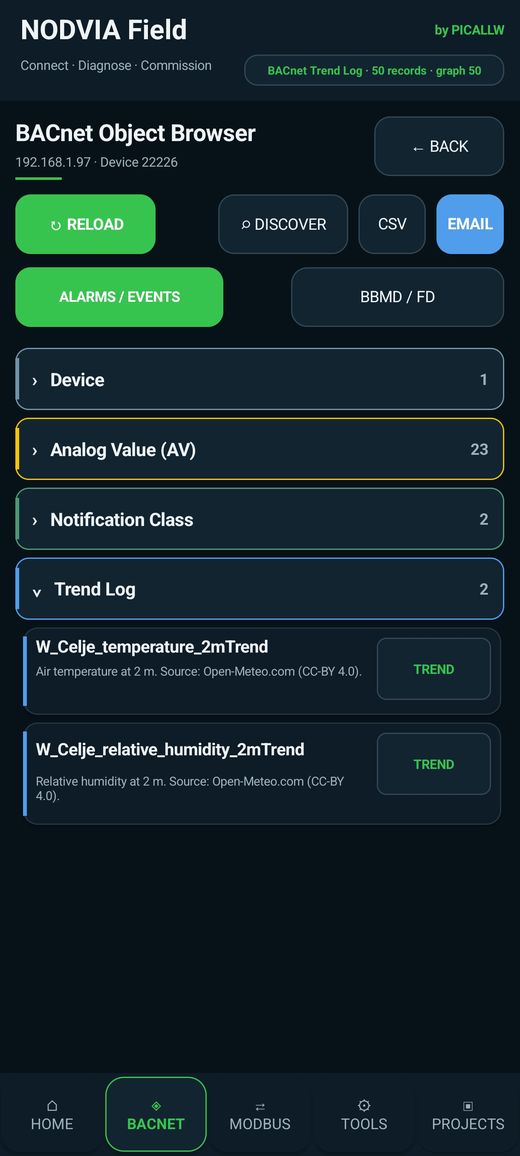
A field workflow with NODVIA Field
NODVIA Field by PICALLW follows the same practical sequence:
Connect → Diagnose → Commission
The goal is not to pretend that a field toolkit replaces manufacturer engineering software. The goal is to get to the first reliable answer faster: discover devices, inspect BACnet context, read objects and properties, compare addressing, retain project information and use a consistent field workflow.
A field tool is most valuable when it helps you prove which layer is wrong before you start changing the system.
Quick decision tree
DEVICE NOT WORKING
        |
        +-- No IP/serial link?
        |      -> power / cable / NIC / RS-485
        |
        +-- Link OK, no BACnet response?
        |      -> UDP port / baud / MAC / firewall / interface
        |
        +-- Directed read works, discovery fails?
        |      -> broadcast / BBMD / FDR
        |
        +-- Router visible, downstream device missing?
        |      -> network numbers / routing / MS/TP
        |
        +-- Simple property works, larger read fails?
        |      -> RPM / APDU / segmentation / timeout
        |
        +-- Value reads but behaves incorrectly?
        |      -> Priority_Array / Reliability / COV / schedule
        |
        +-- BACnet/SC connection fails?
               -> hub / TLS / certificate / clock / trust
If you are checking duplicate or invalid Device instance numbers, you can quickly review a list with the free PICALLW tool.
References and further reading
ASHRAE Standard 135 Resource Files — BACnet standard resources.
https://data.ashrae.org/bacnet/BACnet International Glossary — current terminology, including ANSI/ASHRAE 135-2024.
https://bacnetinternational.org/bacnet-glossary/BACnet International Journal — BACnet communication across subnets — BBMD and Foreign Device concepts.
https://bacnetinternational.org/wp-content/uploads/sites/2/2022/07/journal_issue_15.pdfBACnet International Journal — MS/TP tuning — Max_Master and segment performance.
https://bacnetinternational.org/wp-content/uploads/sites/2/2022/07/BACnet-Intl-Journal_20.pdfBACnet International — BACnet Secure Connect.
https://bacnetinternational.org/bacnetsc/Wireshark BACnet protocol documentation.
https://wiki.wireshark.org/Protocols/bacnetContemporary Controls BASrouter documentation — practical MS/TP configuration.
https://www.ccontrols.com/pdf/um/UM-BASRTB00.pdf
Final field rule
Do not troubleshoot BACnet by intuition alone. Build a chain of proof.
If you can show that the request left the client, reached the correct data link, was routed to the intended BACnet network, reached the device and produced a response, the fault becomes small and specific. That is the difference between trying settings and engineering the diagnosis.